Plugin for Lightroom Classic
Lumethic brings forensic photo verification directly into your Lightroom Classic workflow. Prove your photos are authentic camera captures with cryptographic proof that survives beyond watermarks.
Adobe Exchange
Get the Plugin
Install the Lumethic plugin directly from Adobe Exchange using the Creative Cloud desktop application. Free to install. Verify your first photos in minutes.
The Problem
Why Verify Your Photos?
Proving photographic authenticity has become essential for professional photographers. Contests, publishers, and clients increasingly require verifiable proof that images are real camera captures. Legal work adds a stricter version of the same requirement: an export that becomes an exhibit must be traceable to the verified original it derives from. The plugin checks exactly that on export; normal processing passes, content manipulation fails.
Lumethic enables photographers using cameras without built-in C2PA support to add Content Credentials to their work retroactively, bridging the gap until hardware-level signing becomes widely available.
Lumethic solves this by forensically analyzing your original RAW sensor data and issuing C2PA Content Credentials, the emerging industry standard for image provenance backed by Adobe, Microsoft, and major news organizations.
Setup
Getting Started
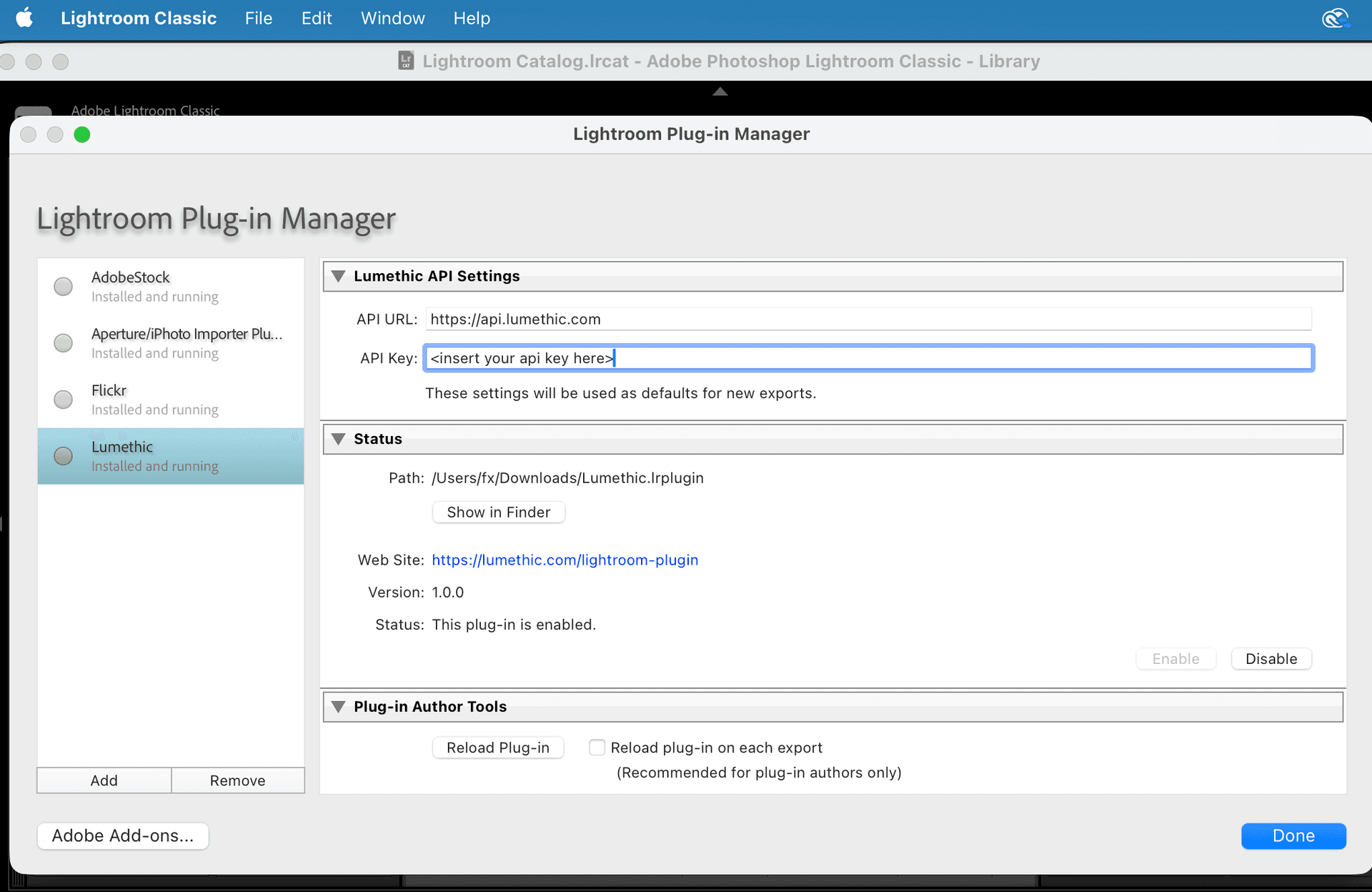
After installing the Lumethic plugin via Creative Cloud, open Lightroom Classic and navigate to File > Plug-in Manager. Create a Lumethic account, generate an API key, and enter it in the plugin settings to start verifying photos.
Install from Adobe Exchange
Click the 'Get on Adobe Exchange' button above and install the plugin using the Creative Cloud desktop application. The plugin will be automatically added to Lightroom Classic.
Create a Lumethic Account
Visit lumethic.com and create a free account if you don't have one already. You'll need this to generate an API key for the plugin.
Generate an API Key
Log into your Lumethic account and go to your profile settings to generate an API key. Keep this key handy for the next step.
Configure the Plugin
In Lightroom Classic, go to File > Plug-in Manager. Select the Lumethic plugin and enter your API key in the 'API Key' field in the settings panel on the right side, then click Save.
Verify Your First Photo
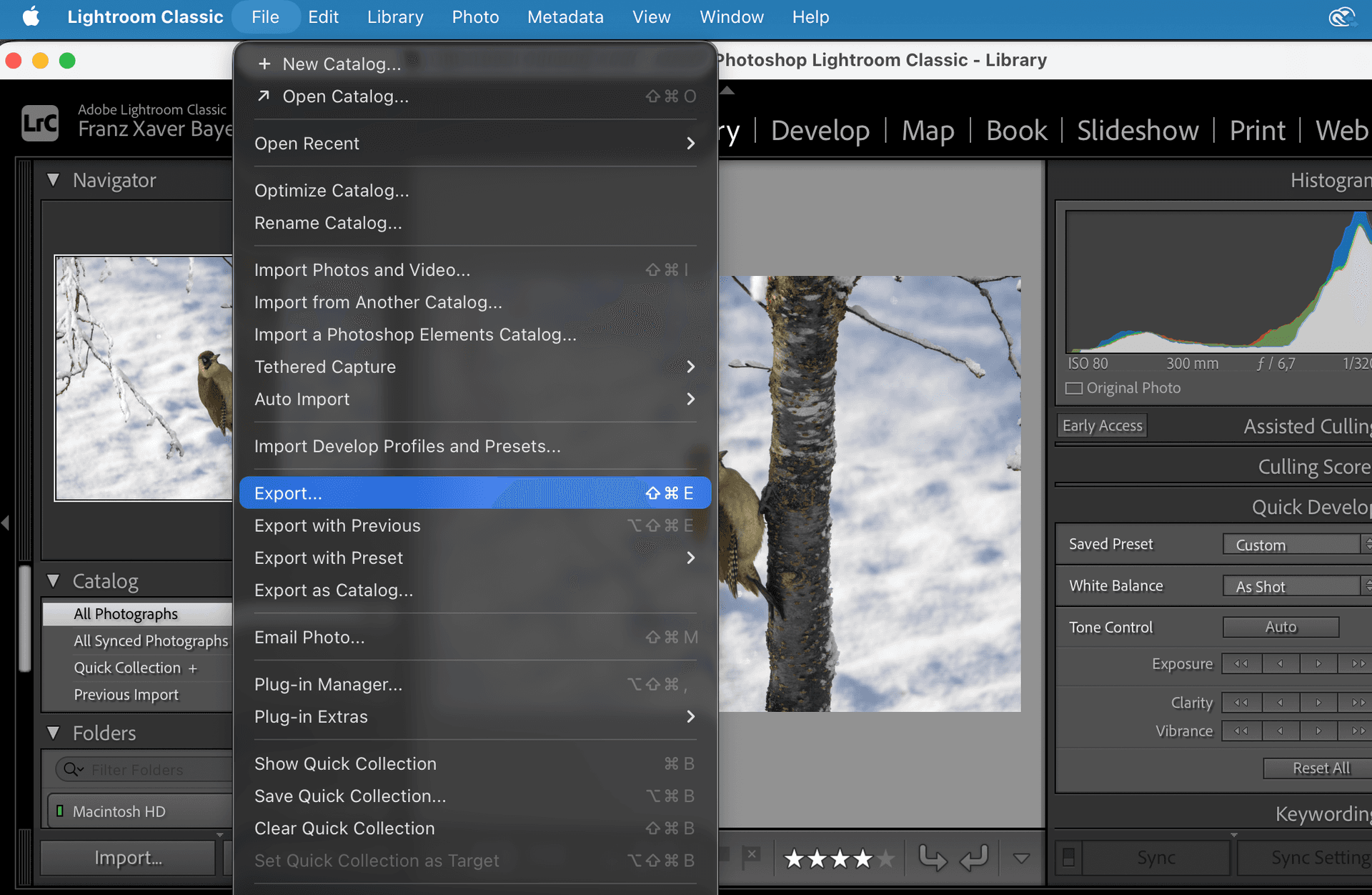
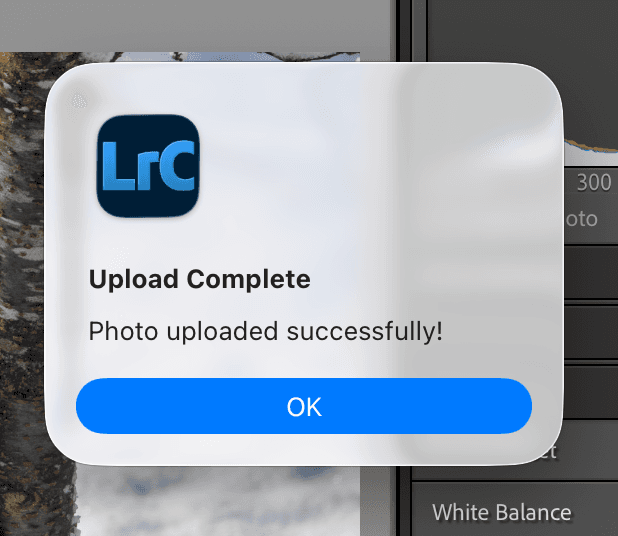
Test your setup by selecting a photo and going to File > Export. Choose 'Lumethic Photo Verification' from the export options. When you see 'Upload Complete - Photo uploaded successfully!', your setup is complete.
View Your Verifications
Visit lumethic.com/verifications to see your uploaded photos, manage verification certificates, and share proof of authenticity with clients.
View Your Verification Report
Each verified photo gets a detailed forensic report you can share publicly. See an example report.
System Requirements
- •Adobe Lightroom Classic 11.0+
- •Windows 10+ or macOS 10.15+
- •Active Lumethic account (free tier available)
- •Internet connection for verification processing
Key Features
- Integrated Workflow: Verify photos without leaving Lightroom Classic
- RAW File Analysis: Forensic verification using sensor authenticity checks
- Batch Processing: Verify multiple photos at once
- Copyright Protection: Cryptographic proof that survives watermark removal
- C2PA Signature: Industry-standard provenance using Content Credentials
- Shareable Reports: Generate verification reports for clients and publishers
Need Help?
Our support team is here to help you get the most out of the Lightroom plugin.
Start Verifying Your Photos Today
Install the plugin to add C2PA Content Credentials to your Lightroom workflow, or try our web-based verification tool.